Nike Tech · Street Vision
 Nike Tech · Street Vision
Before the Weather
3D garments by Tanzim Rahat
Three Nike Tech jackets, three short CG films for the Nike Tech hub on nike.com, one film per jacket. Nike gives each jacket a weather: storm, cold and dark. My part was the jackets themselves, cut from pattern and textured to hold up once the weather arrived.
 Tech SF3
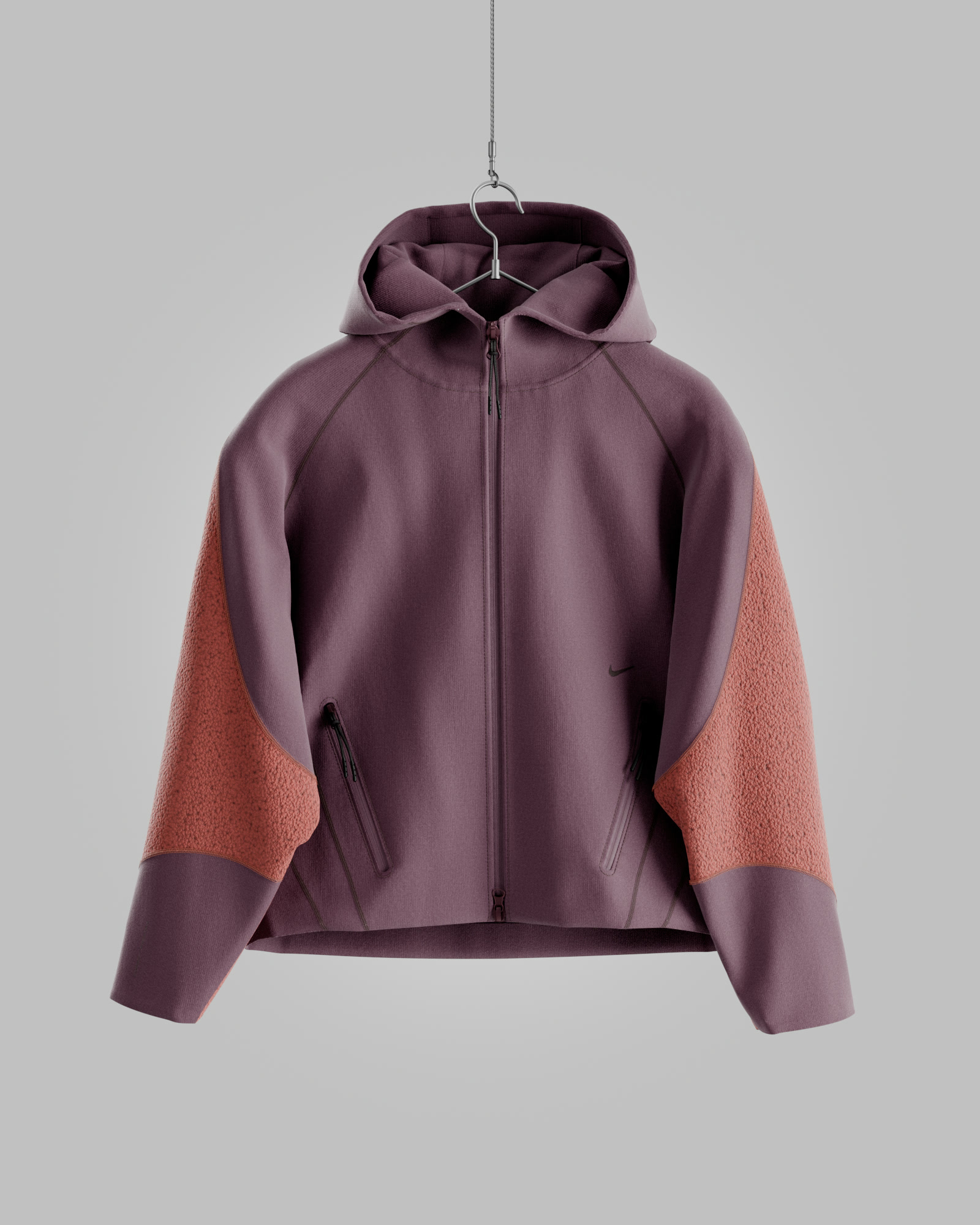 Tech Boreas
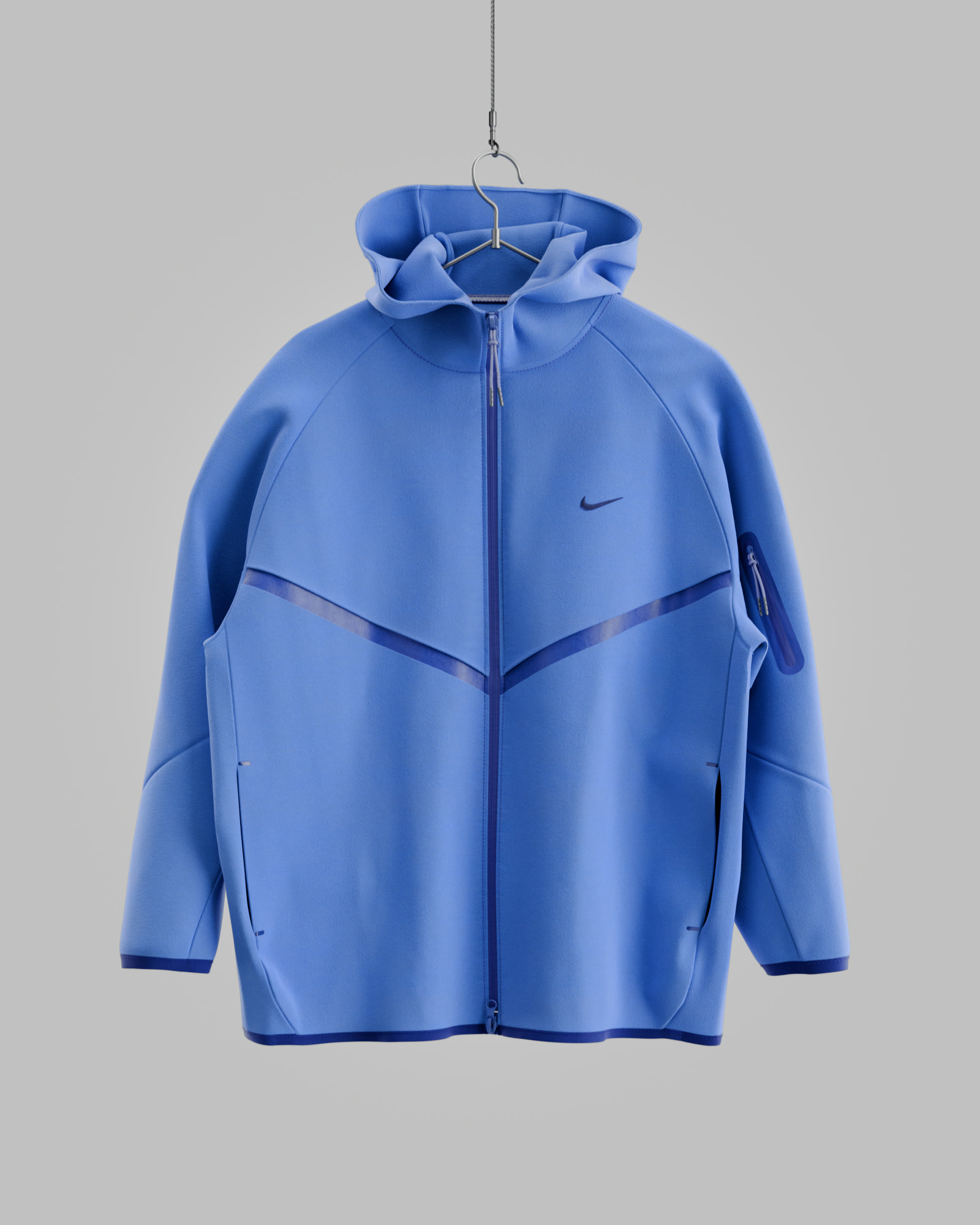 Tech Fleece
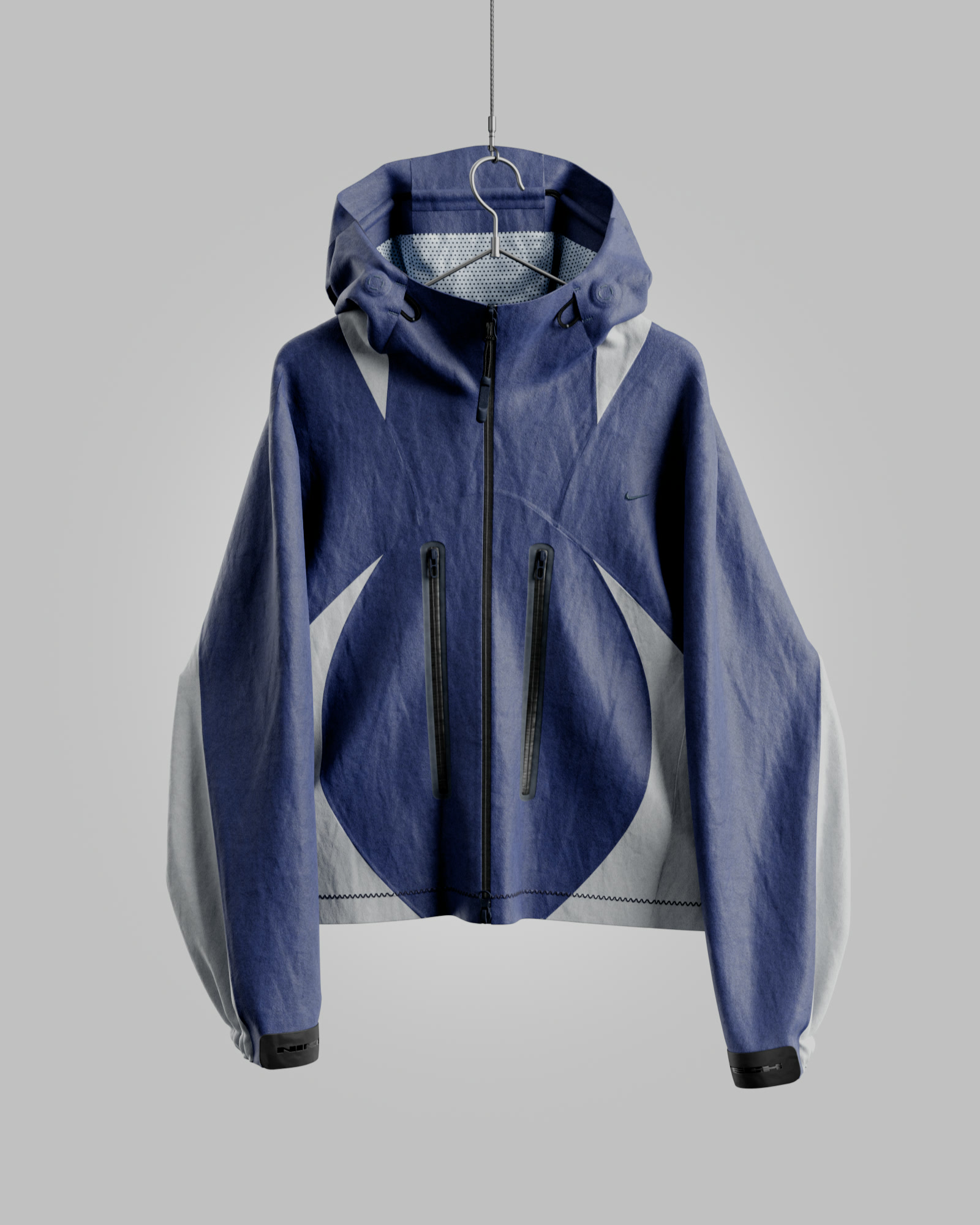
Lookdev renders in Octane for asset QC before hand-off. The delivery was models, textures and source files.
Tech SF3
Before the Storm
Nike sells the SF3 on staying dry. The jacket behind that promise is all construction: sharp panel lines, taped seams and a clean shell, cut and sewn so it still holds together when the camera gets close.
- Sealed seamsSeam tape built as its own strip along each seam line, a separate material from the shell around it.
- Empty hangCut and simulated to hang with no body inside, the way it sits in the film.
Tech Boreas
Before the Cold
The heavy-weather piece: high-pile fleece, water-repellent panels and an oversized cut. Pile is a texture problem as much as a cloth one: it has to read as thick fleece from across the frame and as fibre up close.
- High-pile fleecePile built for close range, deep enough to read as fibre rather than a printed pattern.
- Zip pocketsPockets cut as real pattern pieces, so they fold like the real ones.
Tech Fleece
Before the Dark
The quietest of the three until light finds it. The reflective tape along the chest and seams went in as its own piece with its own texture set, so the night film could treat it separately from the soft fleece around it.
- Reflective tapeIts own reflective material along the chest and seams, dark until a light source finds it.
- Relaxed fitAn easy, layered drape set in the simulation rather than sculpted in.
The build
Cutting the patterns and simulating the cloth was the straightforward part. The real challenge was the pose: getting each jacket as close as possible to the client's approved storyboard frame, while leaving enough room in the cloth for the subtle, animation-driven simulation further down the pipeline.
Every jacket started as flat pattern pieces in Marvelous Designer, traced from Nike's studio photography for proportion and panel lines, then sewn and simulated into a garment. Folds and volume come out of the cloth, not out of a sculpting brush.
What went to the three films: Marvelous Designer projects with patterns and fabric presets, clean UV'd meshes and Substance texture sets for each jacket, ready for simulation, lighting and render.
Nike Tech hub · EMEA
Live on NIKE.COM
The three films are live on the Nike Tech hub at nike.com across the EMEA region, a scroll away from the jackets they were made for.
Credits
- Client
- Nike Sportswear, Nike Tech
- Production, Monks Amsterdam
- Alexander Otto, Creative Director
Lia McNamara, Producer
Taylor Warner, Producer - Director, CGI
- Andrea Arice
- 3D garments and texture
- Tanzim Rahat
- Houdini FX
- Kevin Weber
- Year
- 2026
Questions
Who built the 3D jackets in the Nike Tech SF3, Boreas and Tech Fleece CG films?
Tanzim Rahat built and textured the 3D garments for the Nike Tech SF3, Tech Boreas and Tech Fleece jackets, one jacket per film.
How do you show a jacket's product features in CGI?
By building each feature into the 3D garment instead of painting it on. For Nike Tech that meant cutting real pattern pieces in Marvelous Designer so seams, panels and pockets exist as geometry, then giving each feature its own material in Substance Painter: seam tape on the SF3, high-pile fleece on the Boreas, reflective tape on the Tech Fleece. When rain, snow or a headlight hits the jacket in the film, the feature responds the way the real product does.
Where can the Nike Tech jacket films be seen?
On the Nike Tech hub at nike.com, in the EMEA region only.
Rain finds the seams, snow settles in every fold, and a headlight finds the one panel you hoped nobody would look at. Building the jacket properly is what lets the camera go anywhere. If you have a piece that has to hold up that close, say hello.